
 Cognac
 Black
Black Oat
Oat Bone
Bone Brown
Brown Cafe
Cafe Mocha
Mocha Walnut
 Ruby
Ruby Wine
Wine Charcoal
 Slate
Slate Auburn
 Eggplant
 Oxblood
 Moss
Moss Burgundy
 Aubergine
 Tan
Tan Hazel
Hazel Blush
Blush Camel
Camel Red
Red Orange
 Natural
 Burnt Orange
 Poppy
Poppy Plum
Plum Rosa
Rosa White
White Grey
Grey Cobra
Cobra Denim
Denim Indigo
 Emerald
 Teal
Teal Turquoise
 Sky Blue
 Grass
Grass Green
Green Olive
Olive Yellow
 Lemon
Lemon Honey
Honey Chartreuse
 Mustard
 Lavender
 Mint
Mint Foil Burgundy
 Foil Cream
 Foil Cobra
 Foil Desert Trail
 Foil Black
 Foil Sea Glass
 Foil Turquoise
 Foil Sunflower
 Foil Brown
 Foil Chartreuse
 Foil Red
 Foil Berry
 Foil Purple
 Foil Steel
 Foil Teal
 Hair On Black
 Hair On Brown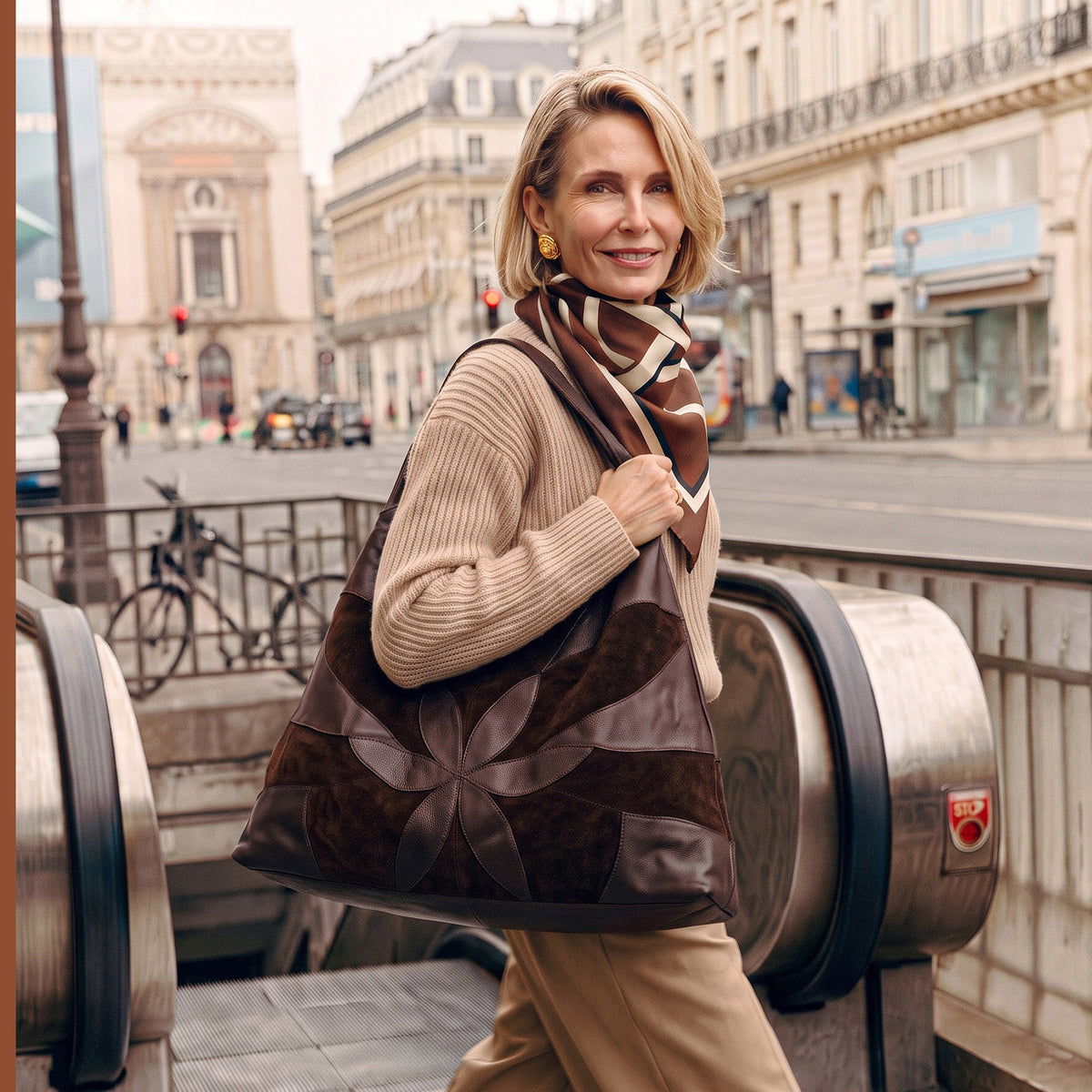
How to Measure Your Laptop Size for a Bag (and Which Bags Fit a MacBook)
The bag is in your cart, your laptop is on the desk, and the product page says it fits a laptop. Which laptop, though? A new MacBook, or a calendar filling back up with office days, makes that worth knowing before you check out.
It comes down to three measurements and a little extra room. Below you'll find the exact numbers for every current MacBook, how to read a bag's listed size, and which of our totes, backpacks and briefs carry each one, including the laptop tote bag that suits your model.

How to Measure Laptop Size for a Bag
Start with the name on your laptop, because it describes the screen. Screen size is measured diagonally across the visible display and leaves out the bezel and the aluminum around it. The body that has to slide into your bag is always bigger than the number on the box.
Apple's names round down, too. Measured as a full rectangle, the 13-inch MacBook Air screen is 13.6 inches, the 15-inch Air is 15.3, the 14-inch Pro is 14.2 and the 16-inch Pro is 16.2 (Apple's MacBook Air and MacBook Pro tech specs). A bag listed for a 13-inch laptop is naming a size class, so the body measurements are the ones to match.
1) Find Your MacBook's Size Without a Tape Measure
On a Mac, click the Apple menu and choose About This Mac. The model name sits at the top, something like MacBook Air (13-inch, M5). Look that model up on Apple's tech specs page and you'll have its width, depth, height and weight to the hundredth of an inch.
Carrying a Windows laptop or a hand-me-down? The same idea works: find the exact model number and pull up the manufacturer's spec sheet.
2) Measuring With a Tape Measure
Reach for the tape when the model is older, when you can't tell which one you have, or when a hard shell stays on full time. Close your laptop, set it on a flat surface, and measure:
-
Width: the long side, left edge to right edge.
-
Depth: the front edge to the hinge.
-
Thickness: the table to the top of the closed lid, at the thickest spot.
Apple lists that last number as height. We'll call it thickness here so it never gets mixed up with a bag's height. If a snap-on case or sleeve rides along every day, keep it on while you measure, then write the three numbers down.
How Much Room to Add Around Your Laptop
An exact match is too tight. As a rule of thumb, give width and depth about 0.5 to 1 inch of extra room, and give thickness at least half an inch more, with a bit extra if a sleeve goes in alongside it.
When the fit is too tight, the corners press on the seams and the zipper bows instead of closing flat. With too much room, the laptop slides around and its corners take the bump every time you set the bag down. Snug with a little give is the fit you're after.
MacBook Dimensions by Model
Here are the closed-body measurements for every current MacBook, from Apple's own spec pages, with metric in parentheses.
|
Model |
Width |
Depth |
Thickness |
Weight |
|
MacBook Neo 13" |
11.71 in (29.75 cm) |
8.12 in (20.64 cm) |
0.50 in (1.27 cm) |
2.7 lb (1.23 kg) |
|
MacBook Air 13" (M5) |
11.97 in (30.41 cm) |
8.46 in (21.5 cm) |
0.44 in (1.13 cm) |
2.7 lb (1.23 kg) |
|
MacBook Air 15" (M5) |
13.40 in (34.04 cm) |
9.35 in (23.76 cm) |
0.45 in (1.15 cm) |
3.3 lb (1.51 kg) |
|
MacBook Pro 14" (M5) |
12.31 in (31.26 cm) |
8.71 in (22.12 cm) |
0.61 in (1.55 cm) |
3.4–3.5 lb (1.55–1.60 kg) |
|
MacBook Pro 16" (M5 Pro/Max) |
14.01 in (35.57 cm) |
9.77 in (24.81 cm) |
0.66 in (1.68 cm) |
4.7 lb (2.14–2.15 kg) |
Sources: Apple tech specs for MacBook Neo, MacBook Air 13-inch, MacBook Air 15-inch, MacBook Pro 14-inch and MacBook Pro 16-inch.
The Neo and the 13-inch Air sit within about a third of an inch of each other in both directions, so a bag that carries one carries the other. The 14-inch Pro is only about 0.3 inch wider than the 13-inch Air, but it's thicker and about 0.7 pound heavier.
At the large end, the 16-inch Pro runs about 0.6 inch wider, 0.4 inch deeper and 1.4 pounds heavier than the 15-inch Air. For an older model, look up that model's own spec page on Apple's site.
How to Read a Bag's Listed Dimensions
The size on a product page describes the outside of the bag. Leather, lining and seams each take a little from the inside, which is one more reason to leave that clearance.
We list every bag as H x D x L: height, depth front to back, and length side to side. Line your laptop's numbers up against the bag's in the direction the laptop will sit:
-
Totes, briefs and messengers hold a laptop horizontally, so laptop width runs along the bag's length (L) and laptop depth runs up its height (H).
-
Backpacks usually hold it vertically, with the laptop's long side running up the bag's height.
-
Tall, narrow totes hold a laptop upright, portrait style.
Tapered shapes need one more check. Compare your laptop's width with the base of the bag, since that's where the laptop rests. Our Suburban Tote Lg is 17 inches long at the base and 23 at the top, so use 17.
The depth figure covers everything inside, the laptop plus your wallet, charger and keys, and the top zip or snap should close over all of it without bowing. When a product description names a laptop size, such as "fits a 14" laptop," that's our fit for that bag, so check it against your model first.
Which Bags Fit Which MacBook
Each bag below is grouped by the MacBook size it carries, using the laptop size listed on its product page or, where none is listed, its measurements. Within each size, the choice comes down to shape, how you like to carry, and how much else you bring.
|
Bag |
Size (H x D x L) |
Listed fit |
Carries |
|
Lindsey |
13" x 3.5" x 19" |
13" |
13" Air, Neo |
|
Leon |
14" x 2" x 13" |
13" |
13" Air, Neo |
|
Stella |
13.5" x 1.5" x 17" |
13" |
13" Air, Neo |
|
Laptop Leather Tote |
14" x 2" x 11" |
By measurements (upright) |
13" Air, Neo |
|
Explorer backpack |
Laptop section 13" x 2" x 11" |
Up to 13" x 11" |
13" Air, Neo, 14" Pro |
|
Urban |
11" x 3" x 15" |
14" |
Up to 14" Pro |
|
Voyage Tote Lg |
14" x 11.25" x 19" |
14" |
Up to 14" Pro |
|
Festival |
12" x 5.5" x 15.5" |
15" |
Up to 15" Air |
|
Suburban Tote Lg |
15" x 7" x 17" (base) |
16" |
Up to 16" Pro |
1) Bags for a 13-Inch MacBook Air or MacBook Neo
With a footprint of about 12 by 8.5 inches, these two have the most options. Most of our leather tote bags and plenty of shoulder bags carry them, and at 2.7 pounds, a soft, slouchy shape works as well as a structured one.

If you want a tote bag that fits a laptop and still reads like a handbag, start with the Lindsey. This slouchy hobo-style tote hugs your side on a 2-inch strap, measures 13" H x 3.5" D x 19" L, and is designed to carry a 13-inch laptop.

The same silhouette comes in two new fall finishes, Lindsey Suede and Lindsey Groovy Swirl.
The Leon is slimmer and more tailored, at 14" H x 2" D x 13" L and 1.4 pounds. It has a recessed top zip and an interior organizer with card slots and pen holders, and it's listed for a 13-inch laptop.
For a purse that fits a laptop, the Stella wears on the shoulder with a hand-woven body, a top zip and room for a 13-inch laptop in its 13.5" H x 1.5" D x 17" L frame.
If you'd rather carry upright, the Laptop Leather Tote is cut tall and slim, at 14" H x 2" D x 11" L and 1.25 pounds. Stood on end, a 13-inch Air or Neo fits inside its 14-inch height with room to spare. It lies flat against your body on the commute and looks sleek enough for dinner after.
2) Bags for a 14-Inch MacBook Pro or 15-Inch MacBook Air
The 15-inch Air is 13.4 inches wide, so once you add clearance you want roughly 14 to 14.5 inches of usable length. The 14-inch Pro is narrower and thicker at 0.61 inch, so check the bag's depth figure first.

Most of our leather laptop totes sit in this size class. The Urban is structured, with contrast stitching, a top zip and a flat bottom that keeps it standing on its own. At 11" H x 3" D x 15" L, it's listed for a 14-inch laptop.

The Festival is a roomy, polished work tote with padded rolled handles that sit comfortably on your shoulder, a top snap, and metal feet that keep it standing. It measures 12" H x 5.5" D x 15.5" L and is listed for a 15-inch laptop.

Heading to the gym or away overnight after work? The Voyage Tote Lg carries a 14-inch laptop with gym gear on top. It measures 14" H x 11.25" D x 19" L, closes with a top zip, and has side drop-in pockets for a water bottle or umbrella.
If you have a 15-inch Air and a bag is listed for a 14-inch laptop, compare its length with 13.4 inches plus clearance before you count on the fit.
3) Bags for a 16-Inch MacBook Pro
At 14 by 9.8 inches and 4.7 pounds, the 16-inch Pro is the largest MacBook. It wants about 15 inches of usable length and a base that holds its shape.

The Suburban Tote Lg is our tote bag for a 16-inch laptop, a roomy, structured shape that stands on its flat bottom and rides comfortably on wide, flat straps. It measures 15" H x 7" D with a 17-inch base, and its product page lists a comfortable fit for a 16-inch laptop.
With any bag, a 16-inch Pro puts close to 5 pounds of laptop on your shoulder before the charger goes in, so a wide strap is kinder by the end of the day.
Totes vs. Backpacks vs. Briefs for a MacBook
|
Bag type |
How the laptop sits |
Padding |
How you carry it |
Our examples |
|
Tote |
Horizontal, or upright in tall totes |
Add a sleeve |
One shoulder or by hand |
Lindsey, Urban, Suburban |
|
Backpack |
Vertical |
Padded laptop section |
Both shoulders |
Explorer |
|
Brief or messenger |
Horizontal |
Structured laptop section |
Shoulder strap or top handle |
Business laptop cases |
A tote is the quickest to reach into and the easiest to wear with everything else in your closet.
A backpack moves the weight onto both shoulders. Our leather laptop backpack, the Explorer, has a clean, streamlined shape that carries as well to the office as through an airport, with six exterior zip pockets and a padded laptop section sized up to 13" H x 2" D x 11" L, which holds a 13-inch Air or Neo or a 14-inch Pro.
For other shapes, browse the rest of our backpacks.
Briefs and messengers hold the laptop flat in its own section and wear on a long shoulder strap or a top handle. Our business laptop cases cover the polished office look, and our messenger bags suit men's work carry too, whether he's buying for himself or you're buying for him.
Sleeves, Cases and Protection Inside a Tote
Most leather totes carry a laptop in the main compartment alongside everything else, so a sleeve adds the cushioning. Measure your laptop inside its sleeve or shell before you shop: as a rough guide, a sleeve adds 0.5 to 1 inch to width and depth and 0.25 to 0.5 inch to thickness.
A sleeve should close snugly around the laptop, while the bag needs clearance around the sleeve. Our Zippered Leather Tablet/Laptop Case slides into a tote, backpack or brief, with bubble padding inside and an extended top zip. At 9.5" H x 1" D x 13.5" L, line it up against your MacBook the same way you would a bag.
Inside the tote, keep the laptop against the back wall, away from keys and anything that could leak, and give your water bottle its own holder; the Lindsey has two elastic ones. A flat bottom like the Urban's or metal feet like the Festival's keeps the laptop upright and stops the bag folding over it.
Weight and All-Day Carry
Your real load is the laptop plus the bag, the charger and everything else you pack for the office. The laptop alone is 2.7 pounds for a 13-inch Air or Neo and 4.7 for a 16-inch Pro.
Strap length matters once that load is on your shoulder. A drop length around 10 inches clears a coat sleeve, which is where the Leon and the Lindsey sit, and a wider strap like the Lindsey's 2-inch one spreads the weight.
Full-grain leather holds its shape under the weight of a laptop and softens the more you carry it, so the bag settles into you without slumping. If you're still deciding between a structured and a slouchy shape, our guide to choosing a tote bag for work walks through it.
Matching Your MacBook to the Right Bag
Look up your model or measure the closed body, add about half an inch to an inch to the width and depth, and compare those numbers with the bag's length, height and depth in the direction your laptop will sit.
A 13-inch Air or Neo fits the widest range, including the Lindsey and the Leon. The 14-inch Pro and 15-inch Air point to the Urban and the Festival, and the 16-inch Pro to the Suburban Tote Lg. Every order ships free, and full-price styles come with easy returns and exchanges within 30 days.
Laptop Bag Sizing FAQs
Will a 13-inch laptop bag fit a 13-inch MacBook Air?
Usually, yes. A bag listed for a 13-inch laptop is sized for that class, and the 13-inch Air measures 11.97 by 8.46 inches closed. If it lives in a sleeve or hard shell, measure it with the cover on and check that the bag's length leaves half an inch to an inch to spare.
Does a 15-inch MacBook Air fit in a bag made for a 14-inch laptop?
Sometimes. At 13.4 inches wide, the 15-inch Air needs roughly 14 to 14.5 inches of usable length, so check the bag's L figure before anything else. If you'd rather skip the math, the Festival is listed for a 15-inch laptop.
What size bag do I need for a 16-inch MacBook Pro?
Look for about 15 inches of usable length and a flat or structured base. The 16-inch Pro is 14.01 by 9.77 inches closed, and the Suburban Tote Lg, with its 17-inch base, is listed for a 16-inch laptop.
Do I need a laptop sleeve inside a leather tote?
Most totes carry a laptop in the main compartment, so a sleeve or padded case adds the cushioning. Measure your laptop inside it, since a sleeve adds about 0.5 to 1 inch to width and depth.